![OA_Logo-600x600-1.png]](https://www.omnially.com/hs-fs/hubfs/OA_Logo-600x600-1.png?height=40&name=OA_Logo-600x600-1.png)
Connect a keyboard/mouse to the unit.
When the unit is first plugged in or the power button is pressed, click F2 repeatedly until the BIOS screen appears.
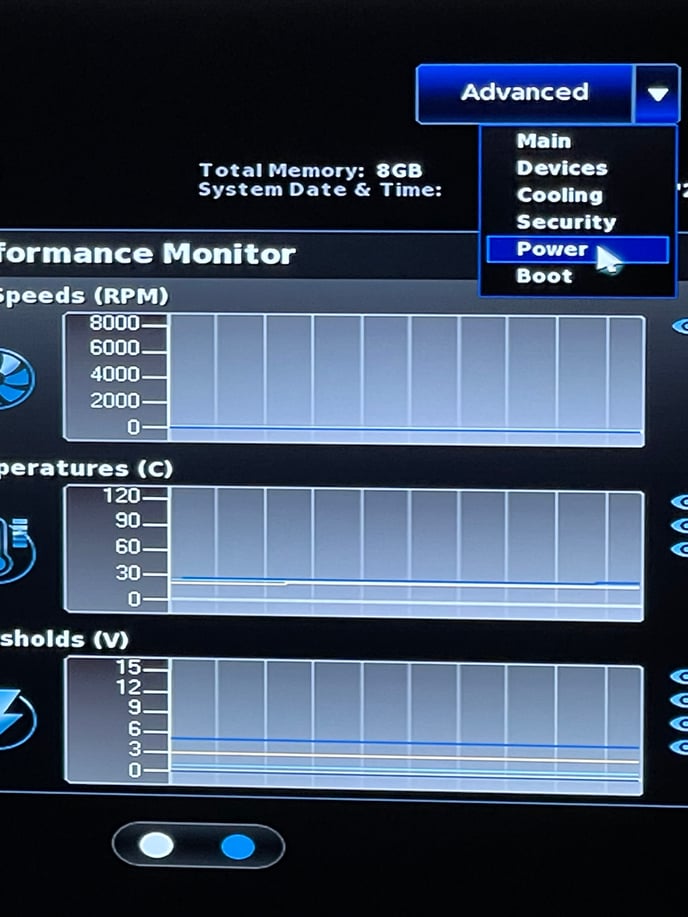
Click the Advanced dropdown arrow.
Click Power.
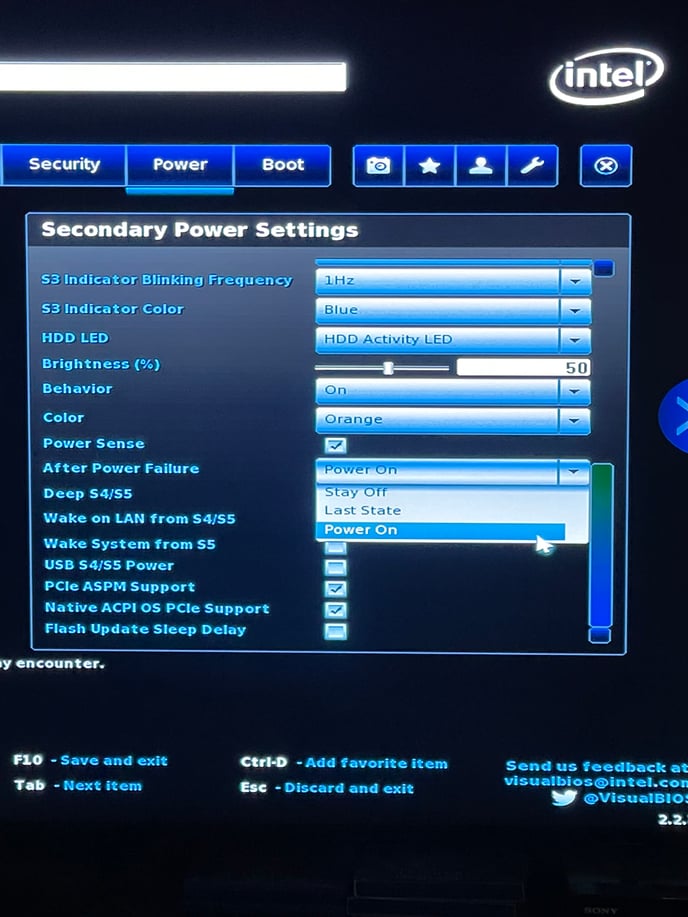 Scroll down to After Power Failure.
Click the dropdown arrow.
Click Power On.
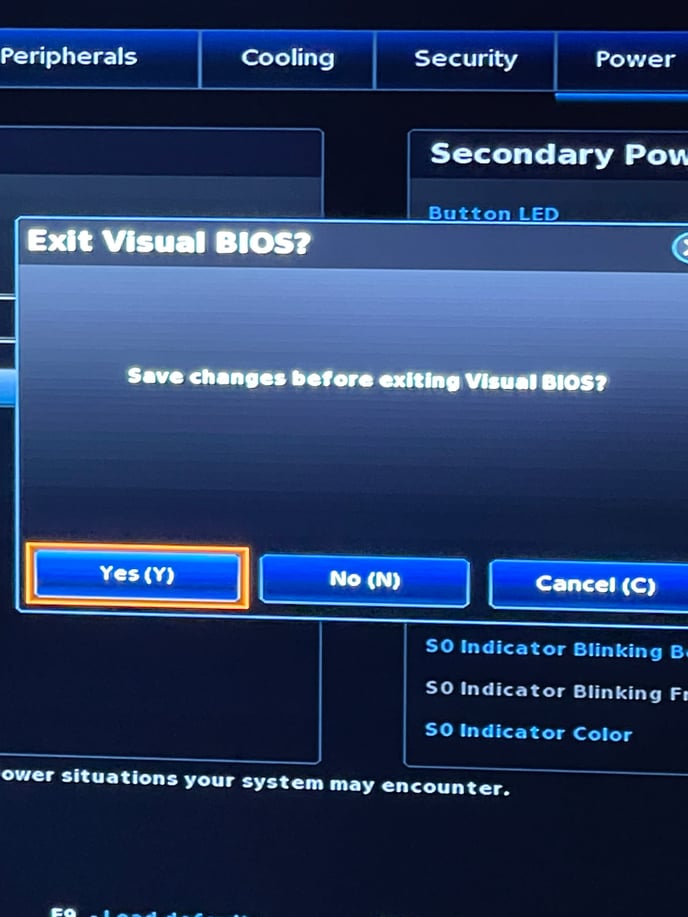
Click F10.
Click Yes(Y).
The unit will reboot.