![OA_Logo-600x600-1.png]](https://www.omnially.com/hs-fs/hubfs/OA_Logo-600x600-1.png?height=40&name=OA_Logo-600x600-1.png)
Where to find it: Content → Playlists
A playlist is an ordered sequence of media that a device plays on a continuous loop. It’s the main way content reaches your screens. Playlists belong to a company and are managed from the Playlists page.
A playlist can hold images, videos, web-based content, and even Canvas designs, played one after another in the order you arrange them. Each playlist has a total running time, which the system recalculates automatically whenever you add, remove, or change items.
Before You Begin
Before creating or editing playlists:
• Make sure you have permission to manage content.
• Upload any media you plan to use, or have it ready on your computer.
• Know which devices the playlist is for, since some settings depend on screen orientation and size.
The Playlists List
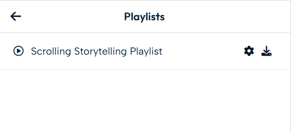
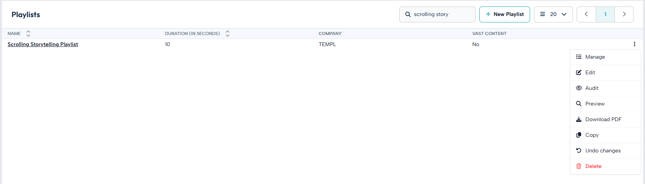
The Playlists page lists every playlist you can access. Each row shows its name, total duration, owning company, and whether it contains ad-network content. Clicking a name opens the playlist’s editor.
Each playlist has a menu of actions, which vary depending on its state:
|
Action |
When it’s available |
|
Manage |
Always: opens the content editor. |
|
Edit |
When the playlist is unlocked: opens its settings. |
|
Preview |
Always: shows the playlist without affecting devices. |
|
Copy |
When unlocked: creates a full duplicate. |
|
Undo changes |
When unlocked and a saved version exists. |
|
Download PDF |
For administrators: a printable summary. |
|
Audit |
Where permitted: the change history. |
|
Recover |
When the playlist has been deleted but not yet permanently removed. |
|
Delete |
When unlocked and you have permission. |
Note A locked playlist is read-only. It can’t be edited, copied, or deleted, and those actions don’t appear in its menu. See Versioning and Locking.
How Playlists Connect to the Rest of the Dashboard
• Devices play one or more playlists. Saving with Save & Update tells every affected device to refresh its content.
• Media library, each playlist item comes from an uploaded file. Removing a file from the media library also removes it from every playlist that used it.
• Canvas designs can be added to a playlist as items, sitting alongside images and videos.